Mobile Banking
Today’s smartphones have more processing power than the computers NASA used to put a man on the moon. And now you can put that power to work for you with the BotV app from Bank of the Valley. It’s the smart, simple, and secure way to pay bills, view transactions, and transfer money.
What You Can Do With the BotV App
- SECURELY MAKE BILL PAYMENTS ANYWHERE: View all your upcoming bills, make payments, add payees, and access your payment history.
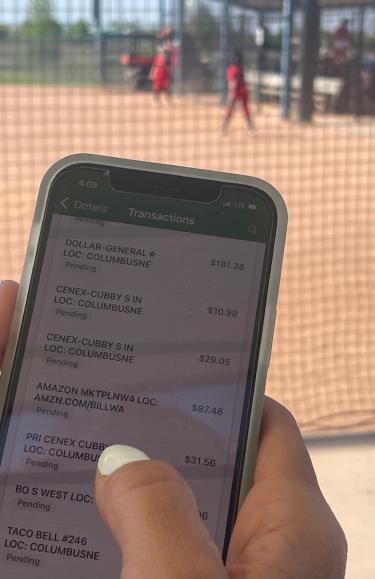
- VIEW TRANSACTIONS ANYTIME: Check your cash flow and finances in real time.
- MAKE TRANSFERS ANYPLACE: Securely move money where you need it, when you need it.
- DEPOSIT CHECKS: Deposit checks securely from anywhere.
Where to Download the App
Download the BotV app on the App StoreSM or Google PlayTM
How to Log In and Use the App
Once you’ve downloaded the app, just follow these simple steps:
- Touch the app icon on your home screen.
- Enroll as a first-time user or enter your online banking credentials to log in.
- For additional security, you will also be asked to create a four-digit code plus you’ll have the option to enable fingerprint or face ID recognition authentication if your device supports these capabilities.
Mobile Deposit
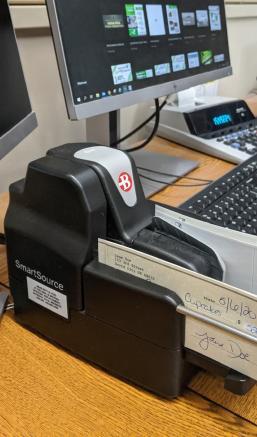
Skip a trip to the Bank by using our Mobile Deposit feature within Mobile Banking. Simply endorse the check, snap a photo of the front and back, and submit your deposit to us for approval.
Get Started
To get started with Mobile Deposit, download the BotV app on the App Store® or Google PlayTM.
How does it work?
Once you’ve downloaded the app to your phone, just open the app and tap 'Deposit'. Then you simply:
- Sign the back of your check and write 'For Mobile Deposit Only' beneath your signature.
- Enter the deposit amount.
- Take a picture of the front and back sides of the check.
- Choose into which account you want to deposit the funds.
You’ll get a quick message to confirm the details of your deposit. If everything looks OK, just tap 'Submit'.
Why is it a better way to deposit checks?
For starters, Mobile Deposit saves you from driving around town to deposit a check.
Mobile deposits also go into your account quickly and securely. And every deposit is password protected and highly encrypted.
PLUS you can make deposits…
- 24/7: You don’t have to worry about business hours or closing times.
- ANYWHERE: Whether you’re home or out and about.
- HASSLE-FREE: There’s no need to drive anywhere, so you can enjoy more free time.
Online Bill Pay
Online Bill Pay gives you the freedom to enjoy life. Here’s how it means more convenience, savings and security for you.
Convenience
- Receive and pay your bills online, all in one place.
- View and pay bills anywhere, anytime, even when you’re traveling.
- Verify your account balance as you pay your bills.
- Track your payment history at a glance and follow all your transactions in real time.
- Receive helpful email or text reminders when payments are due.
- Add the people and companies you want to pay quickly, then send payments with a simple click.
- Automate recurring payments so your bills are always paid on time.
Savings
- Save time by receiving and paying your bills all in one place.
- Save on stamps and checks by making your payments electronically.
- Save money on late fees because you can schedule timely, recurring payments.
- Save paper with electronic bills and payments.
Security
- Guard against identity theft from lost or stolen checks and bills by receiving and paying your bills online instead of by unsecured mail.
- Make secure payments directly from your checking account.
- Maintain tighter control of your account with real-time access to your payment activity.
- Increase your privacy because only you can access your account information.
How to Sign Up for Online Bill Pay
- Log in to your Online Banking account on a PC/computer.
- Select the 'Manage Payments' link.
- Click 'Accept and Submit' if you accept the agreement.
- Follow the on-screen instructions.
E-Statements
When you switch to E-Statements, you’ll remove clutter from your mailbox and gain a secure, fast, and convenient means to access your monthly statements.
Security
Identify theft can occur through stolen mail or improperly discarded paper documents containing sensitive information. E-Statements protect your information more effectively than paper statements.
Speed
You get your statement sooner because online delivery eliminates the time it takes for your paper statement to get from our office to your mailbox.
Simplicity
E-Statements eliminate the clutter of paper statements and allow you to store and retrieve statements on your personal computer.
Free
It costs nothing to switch to E-Statements, and you have access to every transaction and check image on your account for the last two years.
How to Enroll
- Log in to your Online Banking or Mobile App.
- Select an account then click 'Settings'.
- Under Documents, click 'Advanced Settings'.
- Navigate to the 'Sign Up/Changes' tab and select the accounts you wish to enroll.
- Click 'Save Settings' and 'I Agree' to the Electronic Banking Account Statement Disclosure and Agreement to complete.
How to View your E-Statements
- Log in to your Online Banking account.
- Click on any account that is enrolled in E-statements.
- Click the Documents button.
- Click on the download icon to the right side of the statement you wish to view.
Pay A Person
With Pay A Person, you can use your smartphone, tablet, or computer to send money to anyone. It’s fast, easy, and secure. All you need is the person’s email address or cell phone number.
How to Get Started
- Log in to your Online Banking.
- Select the 'Bill Pay' link.
- Select the “Pay a person' tab.
- Choose to send money by email or text message.
Mobile Wallets
Making Payments Secure and Effortless with Mobile Wallets.
Bank of the Valley has integrated with Apple PayTM, Samsung PayTM, and Google PayTM to provide a new category of service that will transform mobile payments with an easy, secure, and private new way to pay.
Register Your Bank of the Valley Visa® Card With Your Phone’s Mobile Wallet.
Visit the appropriate app for your phone and follow the instructions provided for adding your card to the app:
You’ll receive a verification message from us, and then you’re all set!
Alerts
Get alerted to what matters most to you. Whether that is a low balance or a direct deposit, Bank of the Valley will contact you in a way that is convenient to you. Set up your account alerts by mobile app or desktop log-in.